
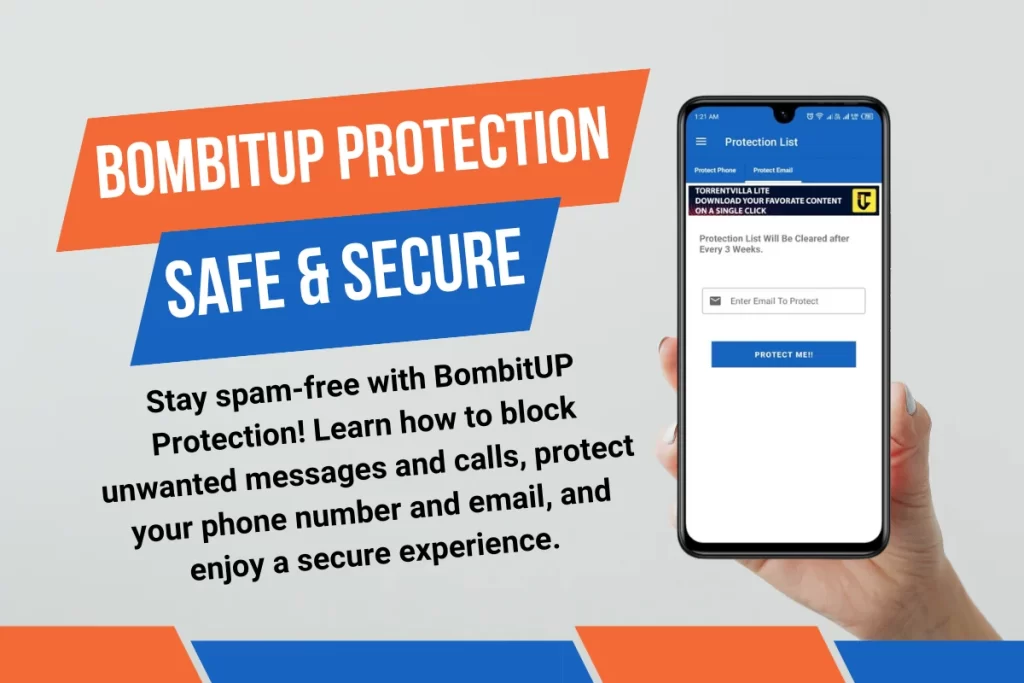
BombitUP is one of the most popular SMS bomber apps in India — and for good reason. It is fast, easy to use, and genuinely funny when you want to flood a friend’s phone with hundreds of messages for a laugh.
But what happens when the joke is on you? If someone uses BombitUP — or our online SMS bomber tool — to target your number, your inbox can go from zero to chaos in under a minute. The good news is that Bombit UP has a built-in feature designed exactly for this situation: the Protection List.
In this guide, we will walk you through everything you need to know about BombitUP Protection — what it is, how it works, and how to add your number to the protection list so no one can use BombitUP to bomb you ever again.
What Is the BombitUP Protection List?
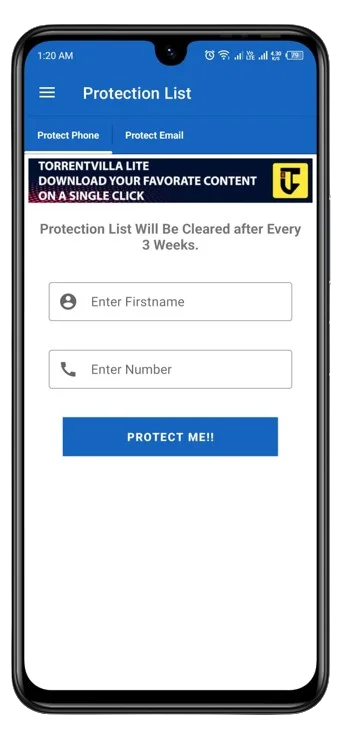
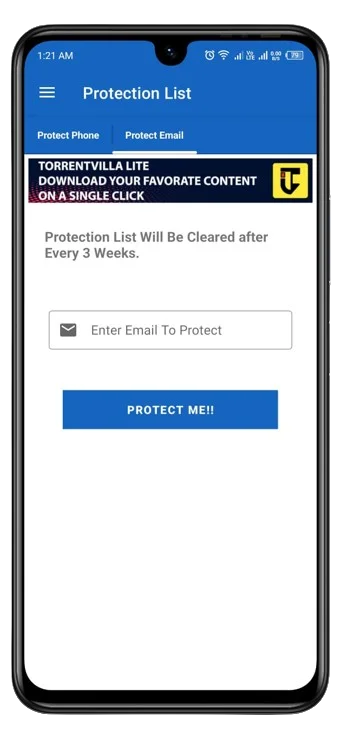
The Protection List is an opt-out feature built directly into the app and supported by our online bomber tool. When a mobile number is added to the protection list, it is flagged across the entire BombitUP system meaning no user, anywhere, can use BombitUP to send messages to that number.
This is not a third-party block or a workaround it is a native safeguard built into the platform. Think of it as BombitUP’s own do-not-disturb registry. Once your number is on the list, it is protected across both the Android app and the online version of the tool.
Why Would Someone Need Protection from BombitUP?
BombitUP is designed for harmless fun between friends. But like any powerful tool, it can be misused. Here are some common situations where people look for protection:
- A prank went too far and someone keeps bombing your number repeatedly.
- An ex-friend or rival is using BombitUP to harass you.
- Your number was shared in a group or online and strangers are using it as a target.
- You simply want peace of mind, knowing your inbox cannot be flooded without your consent.
Whatever the reason, the protection list gives you full control. You do not need to contact anyone or file a complaint you just add your number and BombitUP takes care of the rest.
How to Add Your Number to the BombitUP Protection List
Adding your number to the protection list takes less than two minutes. Follow these steps carefully:
Step 1 — Download BombitUP
If you do not already have the app, download the latest version of BombitUP APK from our official site. The protection feature is available from version 4.0 onwards, so make sure you are not running an outdated build.
Step 2 — Open the app and go to Settings
Launch the app and tap the hamburger menu (three lines) in the top-left corner. From the menu, select Settings.
Step 3 — Find the Protection List option
Inside Settings, scroll down until you see the Protection List section. Tap on it to open the protection management screen.
Step 4 — Add your number
Tap Add Number and enter the mobile number you want to protect — starting with the country code (e.g., +91 for India). Double-check the number before confirming, as typos can protect the wrong number.
Step 5 — Verify ownership
BombitUP will send a one-time OTP to the number you entered to confirm that you are the owner. Enter the OTP in the app to complete the verification process.
Step 6 — Confirmation
Once verified, your number will be added to the global BombitUP protection list. You will see a confirmation message on screen. From this point forward, no one can use BombitUP through the app or the online tool to target your number.
Does the Protection List Work on the Online SMS Bomber Too?
Yes and this is an important point. Many people assume that using the online version of BombitUP bypasses the protection list. It does not. Our online SMS bomber tool and the Android app share the same backend protection database. When your number is on the list, it is blocked across every entry point no exceptions.
This unified protection means you only need to register once. Whether someone tries to bomb you from the app on their phone or through the browser-based tool on a laptop, the system will reject the request automatically.
How to Remove Your Number from the Protection List
Changed your mind and want to let friends prank you again? Removing your number from the protection list is just as simple as adding it. Go back to Settings > Protection List inside the BombitUP app, select your number, and tap Remove. You will receive another OTP for verification, and once confirmed, your number is unprotected and available for use again.
This gives you complete flexibility — you are always in control of whether your number is protected or not.
Tips to Stay Safe While Using BombitUP
Even if you enjoy using BombitUP yourself, a few common-sense practices will help keep things fun for everyone:
- Only bomb people who have explicitly said they are okay with it consent makes pranks fun, not feuds.
- Do not share your number publicly in groups where strangers could target you.
- If you notice your inbox being flooded, add your number to the protection list immediately before the situation escalates.
- Use the protection list proactively you can always add your number now and remove it later when you want to participate in a prank chain with friends.
Final Thoughts
BombitUP is built for laughs — and the protection list exists to make sure it stays that way. By giving users the power to opt out, this SMS bomber app ensures that the tool remains a prank platform, not a harassment tool. If your number is being targeted, do not wait. Add it to the protection list today and take back control of your inbox.